Birthday Genie
An AI assistant that remembers birthdays and writes the messages
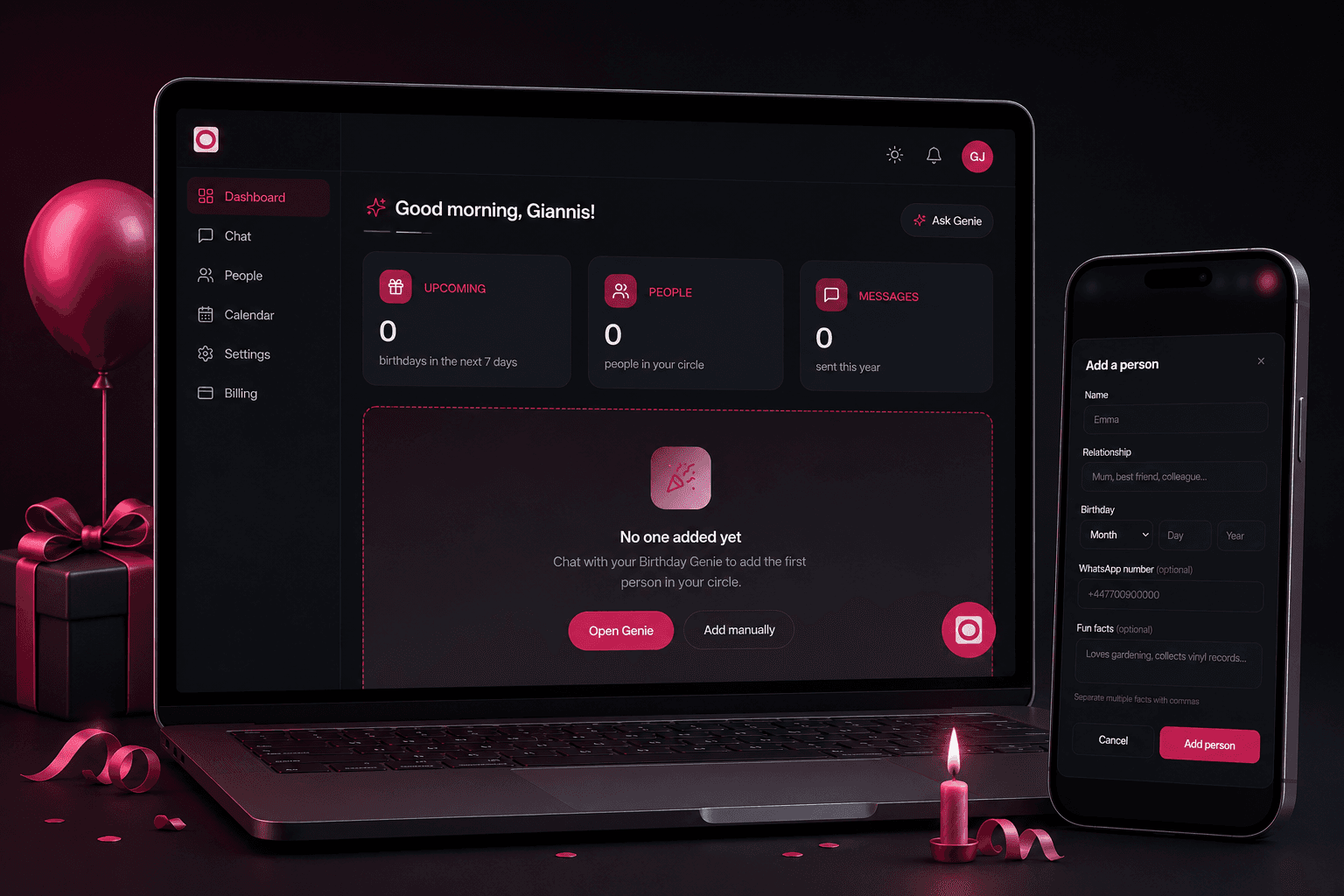
Overview
Birthday Genie remembers the birthdays that matter to you, and writes the message. You tell it about someone the way you would tell a friend, "my mum's birthday is 5 March", either on the website or in WhatsApp. It works out who that is to you and keeps track from there. The rest happens without you. Messages are drafted ahead of time, personalised to that specific person rather than pulled from a template, and on the day a reminder arrives at a sensible hour wherever in the world you happen to be, with something ready to send. It is a UK product, live and in use.
My role
Frontend developer/consultant. Birthday Genie is a product initiated, owned, and run under Automuss Technologies in the United Kingdom. I was brought in to build the interface.
The problem
People do not forget birthdays because they stopped caring. They forget because a birthday is a single date buried in a year, and it only matters for about twenty-four hours. Then there is the second problem, which reminder apps ignore completely. Being told it is your mother's birthday was never the hard part. Sitting down to write something that sounds like you, rather than like a greeting card, is the hard part, and that is the bit people postpone until the day has gone. Ordinary reminder apps show a date and stop there. The remembering, the writing, and the sending on time across timezones are all still left to you.
The solution
You add someone by writing, not by filling in a form. On the web or in WhatsApp you put it the way you would say it, and the assistant works out the name, the relationship and the date. From there it stays ahead of you. Messages are drafted in advance and personalised to who that person is to you, so on the morning there is something waiting rather than a blank box. The reminder itself arrives at 8am in your local time, by WhatsApp or email, with the message attached. Underneath, the product was deliberately split into three separate services so the part that sends reminders keeps running even when the website is being updated or is having trouble. Arriving on the right day is the promise the product makes, so it was built not to depend on everything else being healthy.
Key features
- Add someone by writing it the way you would say it, "my mum's birthday is 5 March", on the web or in WhatsApp, with no form to fill in.
- Get the message written for you: three different versions per person each year, based on who they are to you, the age they are turning, and details you have mentioned about them.
- Run the whole thing from WhatsApp if you would rather not open a website: add people, check who is coming up, and receive your reminder in the app you already have open.
- Be reminded the day before and again on the morning itself, at 8am where you actually are, not 8am in whatever timezone the server happens to sit in.
- Still get reminded when WhatsApp fails. If a message cannot be delivered, it falls back to email automatically instead of quietly going nowhere.
- Subscribe to your birthdays as a calendar feed so they appear in Google or Apple Calendar next to everything else in your life.
- Pay for what you use: a free tier to start, a pro plan, or pay-as-you-go credits.
Architecture & engineering
The product runs as three separate services rather than one application: a Next.js web app, an Express API holding the business logic, and a background worker with no HTTP port at all, which is the thing that actually sends the reminders. They share a monorepo and a common database client, and each ships as its own container onto a single VPS. That split is the decision the whole product rests on. Sending on the right day is the promise it makes, so the part that sends is deliberately not tied to the part people browse. The website can be deploying, or having a bad afternoon, and the reminders still go out.
Results
The product is launched and running with real users and real data, operated by Automuss Technologies in the UK. The usage figures belong to the business rather than to me, so there are none quoted here.
Key learnings
Building the interface for a conversational product is a different problem from building a form. A form tells you what it wants. A text box that accepts "my mum's birthday is 5 March" has to make it obvious what the thing understood, and give the person a way to correct it, without turning back into the form it was trying to replace.
Want to see it in action?
Explore the live product, or reach out to talk through the build.